Firefox Engine Optimization
Built on a Firefox-based engine with strong compatibility and reliable performance for professional browsing scenarios.
Create and manage browser profiles with customizable settings for efficient online workflows.
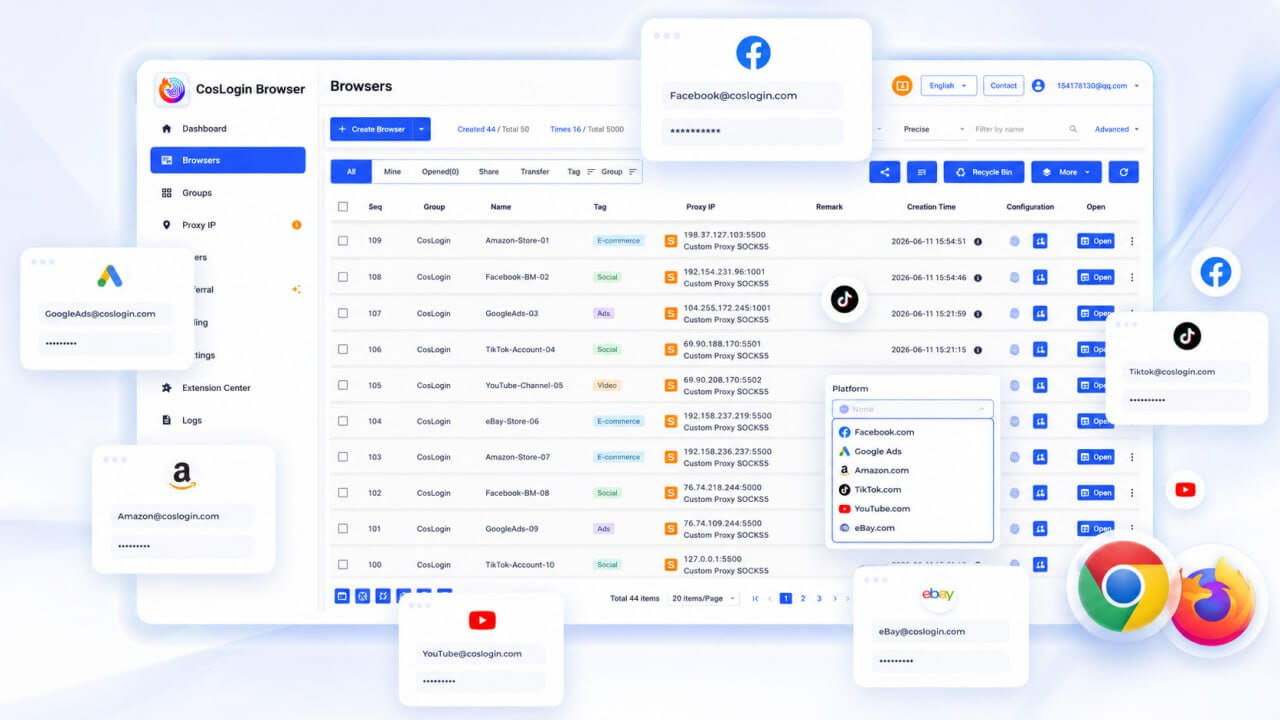
Manage multiple browsing environments with powerful tools designed for professional workflows.
Built on a Firefox-based engine with strong compatibility and reliable performance for professional browsing scenarios.
Each profile runs independently with separated cookies, cache, local storage, and browsing data for better organization and privacy.
Customize browser parameters and environment settings to create consistent browsing profiles.
Manage multiple accounts efficiently with dedicated profiles and flexible configuration options.
Supports Selenium, Playwright, Puppeteer, and API integrations for advanced automation workflows.
Manage team members, permissions, shared environments, and workflows from a centralized workspace.
CosLogin is a Firefox-based browser management solution that helps users create separate browsing profiles with customizable settings, proxy support, and organized account management.
Create and manage multiple browser profiles with customized configurations.
Supports HTTP, HTTPS, and SOCKS5 proxies, allowing each account to operate in an independent network environment.
Compatible with Selenium, Playwright, Puppeteer, and Open APIs for automation, bulk operations, and workflow integration.

Manage multiple stores across Amazon, eBay, Shopee, Lazada, Etsy, and other e-commerce platforms.
Operate and manage account portfolios across Facebook, TikTok, Instagram, X, and other social platforms.
Support affiliate campaigns, content operations, and marketing workflows with flexible browser management.
Support advertising workflows across major platforms
Support market analysis, competitor research, and business insights across different industries.
Combine browser automation and APIs for research, data management, and workflow optimization.
Monitor competitor pricing, conduct market research, and track retail markets across regions.
Monitor website content, advertisements, and brand visibility across different markets and locations.
Support media review, content analysis, and information management with flexible browsing environments.
Flexible plans for individuals, professionals, and scaling teams.
Entry-level access for evaluation and basic use cases.
Production-ready multi-account operations.
For large-scale profiles, team collaboration, or dedicated deployment.
Yes. CosLogin is based on the Firefox engine, maintaining Firefox compatibility and browsing experience while adding browser isolation and multi-account management capabilities.
Yes. You can explore CosLogin's core features for free to determine whether it fits your workflow and business needs.
Yes. Each browser profile can be configured independently with HTTP, HTTPS, or SOCKS5 proxies.
Yes. Team workspaces support member management, permission control, environment sharing, and collaborative workflows.
Pro and Team plans include cloud synchronization, allowing browser environments and settings to be synced across trusted devices.
CosLogin allows you to create and manage multiple isolated browser environments on a single device. Each environment has its own data, settings, and proxy configuration.
Working with trusted partners worldwide to build an open ecosystem.
Contact the CosLogin team to learn more about features, partnership opportunities, and enterprise solutions.
For product inquiries, feedback, and business partnerships, please contact us via email.
support@coslogin.comContact us via Telegram or scan the QR code below.
https://t.me/CosLoginBrowser
Contact our support team via WeChat or scan the QR code below.
coslogin